How to move cargo, pin pieces and remove a vehicle
Choose the operation that matches the scope of change: moving selected pieces, repacking one vehicle and redistributing a pair are different tasks. A precise request makes the outcome easier to check.
In this article
Moving to an existing vehicle
- Click Correct plan and select the source vehicle.
- Select the required pieces using the table checkboxes.
- Click Move selected.
- Choose the receiving vehicle under Target / second vehicle.
- Choose the local repacking objective and conditions, then click Create and calculate.
- Compare both vehicles, unplaced cargo and cost.
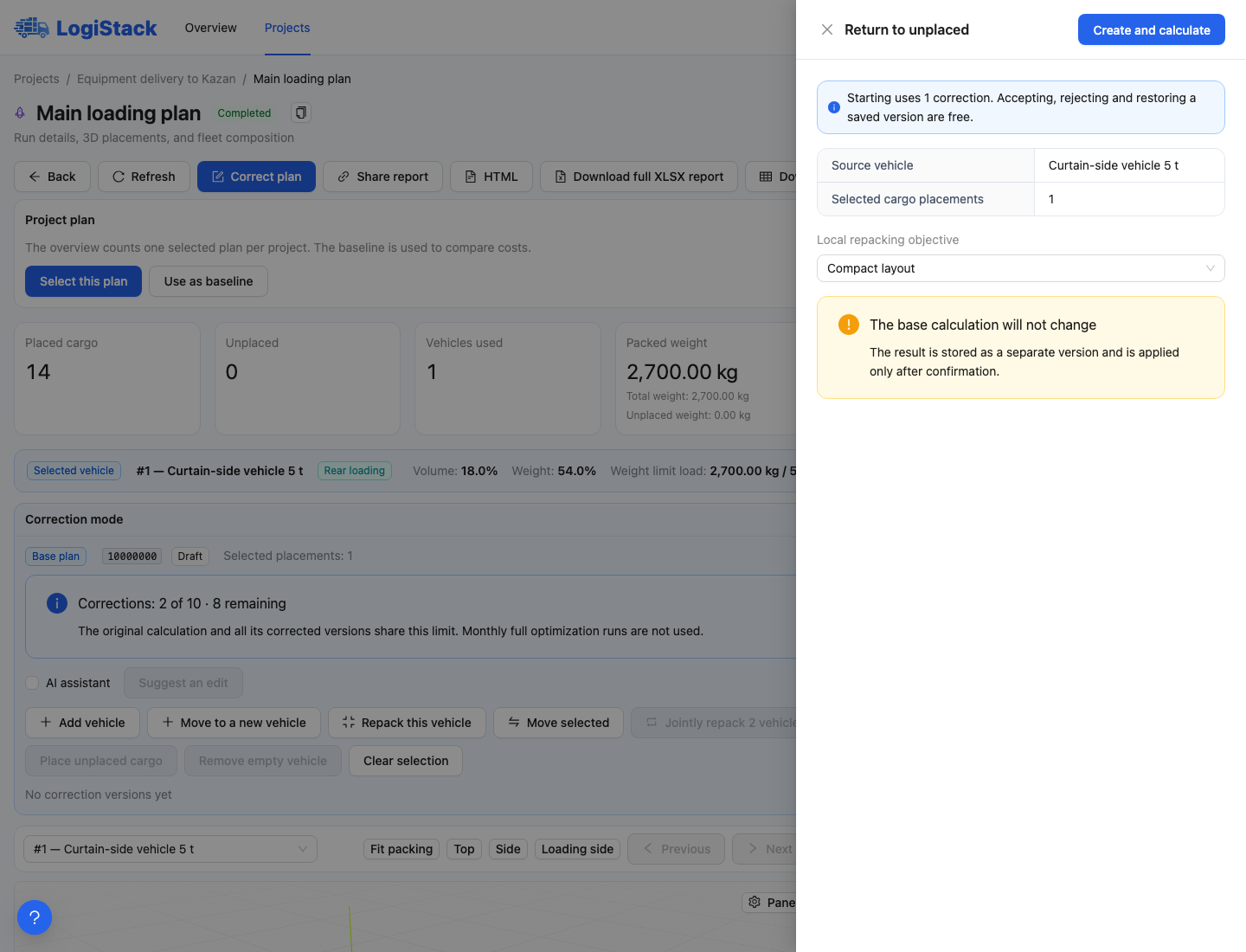
Before local calculation, the panel shows the action and selected quantity. This example returns one piece to unplaced cargo.
If no suitable vehicle is in the plan, use Move to new vehicle and select New vehicle type. It must be allowed for the current calculation and within available quantities. This does not authorise using vehicles outside the project.
Repacking one vehicle
Click Repack this vehicle and choose Compact arrangement, More cargo on the floor, Minimum height or Convenient loading and unloading. These guide the search; they are not a promise that every cargo set can achieve the objective.
To keep specific pieces at their coordinates, select them first and enable Pin selected positions during this recalculation. Other cargo may move around them. Pinned pieces occupying critical space can make improvement impossible.
Redistributing two vehicles
Use Jointly repack 2 vehicles and choose the second vehicle. Enable Lock selected cargo to the current vehicle if needed. This preserves vehicle assignment; exact coordinates are preserved separately with position pinning.
To reduce the fleet, try fitting a pair's cargo into one vehicle and review the comparison. Then use Remove empty vehicle if one is left empty. It does not remove a loaded vehicle: first transfer its cargo or return it to unplaced cargo.
Positioning one piece precisely
Select exactly one instance for Rotate / move. Enter integer coordinates in millimetres: X along the body, Y across it and Z above the floor. Choose rotation by the resulting dimensions. Z = 0 places it at floor level; positive Z requires valid support, not merely empty air.
Can I force a piece into the specified position? Only if the position is valid. Overlap, extension beyond allowed boundaries, missing support or prohibited rotation will cause rejection. An unsuccessful attempt does not replace the original plan.