Fragile cargo, top-load limits and support area
These settings answer different questions: whether cargo may carry weight on top, how much it can carry, and how much of its base needs support. They are not interchangeable.
In this article
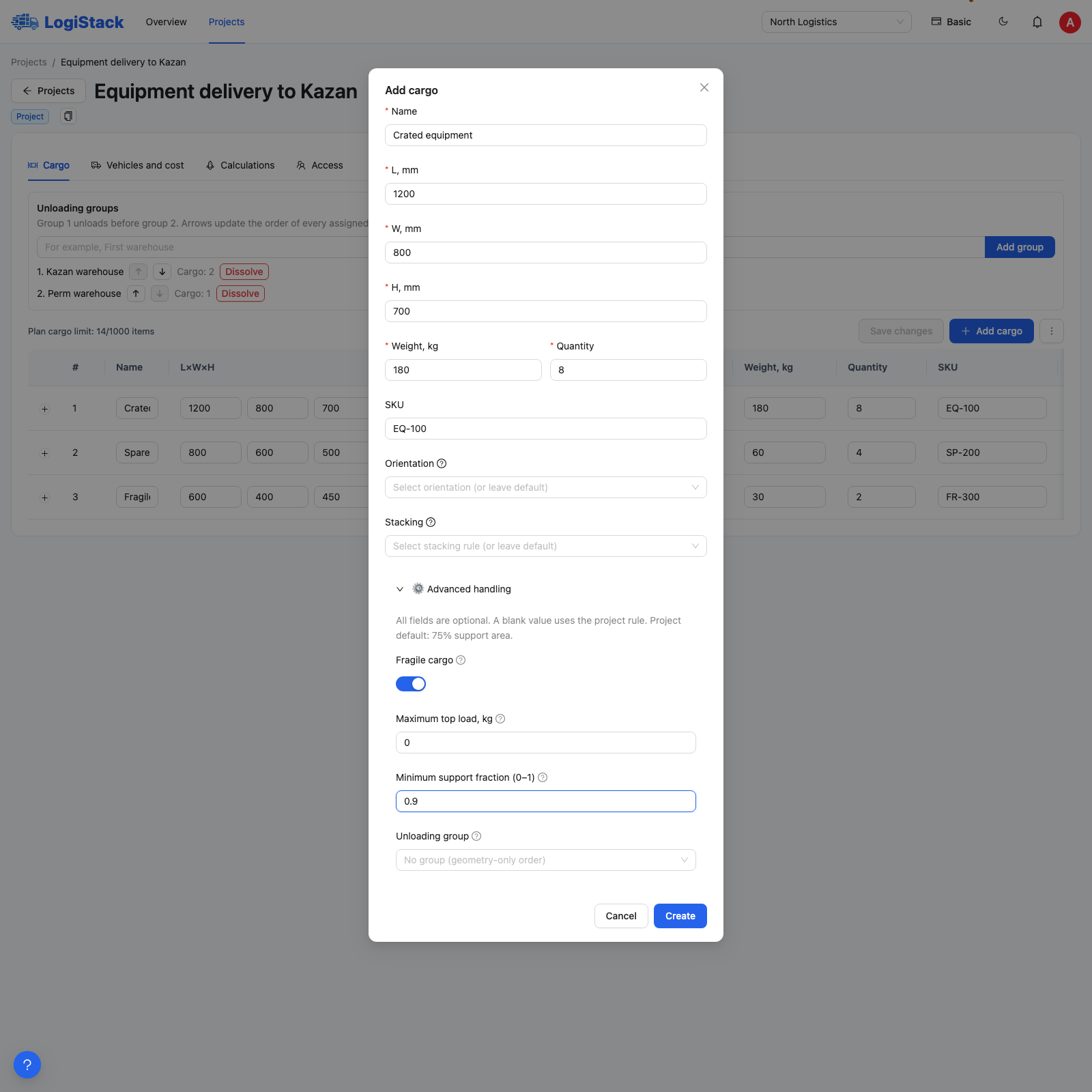
Advanced handling: fragility, maximum top load and minimum support area.
Where to find the fields
When adding cargo, expand Advanced handling conditions. For an existing item, expand its row in Cargo. After making changes, click Save changes.
| Parameter | Meaning | Blank or 0 |
|---|---|---|
| Fragile cargo | Other cargo must not transfer weight onto this piece | Off: no additional fragility restriction; other rules still apply |
| Max. top load, kg | Maximum weight that may be transferred onto the piece from above | Blank: no separate limit specified. 0: no top load allowed |
| Minimum support-area fraction (0–1) | The fraction of the base that must have support | Blank: project default. 0: no additional minimum fraction, but physical support is still required |
What Fragile cargo means
This switch prevents top loading in the placement plan. It does not define the required orientation or model vibration, impacts or glass protection. If the piece must not lie on its side, also choose an appropriate Orientation. If it must stand only on the floor, specify this in Stacking.
Fragility overrides the entered top-load limit. Enabling it and entering 100 kg does not allow 100 kg on top. For cargo that can carry a small load, disable fragility and enter a verified limit.
Top-load example
Two 30 kg crates on a lower crate transfer 60 kg onto it. Another tier's weight is also transferred downwards: checking only the nearest crate above is insufficient. Use limits appropriate to the actual packaging, rather than inferring them from a product name.
Entering the support-area fraction
Enter 0.8 for 80% of the base and 1 for 100%; 80 is invalid here. A blank field uses the project default, shown in the advanced-handling hint. A standard new project starts at 60%, but an existing project may differ.
A larger support fraction imposes stricter placement requirements. Even at 0, cargo must not float, be unstable or rest on a piece that cannot carry top loads. Reducing the fraction therefore does not guarantee another tier.
Why the cargo still remains on the floor
Check the global stacking permission, body height, available supporting pieces, unloading order and top-load limits. Then review stacking rules and clearances between tiers.