Why a value is zero, a dash, or an empty vehicle
Zero means different things in different fields. Read the metric name and adjacent message first. “0”, “—” and an unavailable result are not interchangeable.
In this article
| Where zero appears | Possible meaning | What to do |
|---|---|---|
| Unplaced: 0 | This saved result has no remaining cargo | Compare placed quantities with the shipment |
| Animation step 0 | The vehicle is shown before loading starts | Move the slider or disable animation |
| Support height 0 | No support height is added between tiers | Keep 0 when cargo stands directly on other cargo |
| Horizontal clearance 0 | No free gap is added between neighbouring pieces | Enter the actual clearance if one is required |
| Axles: zero or missing value | Without a verified configuration, this does not establish absence of load | Read the axle-calculation status |
| Utilisation 0 | The vehicle is empty or inputs need checking | Open the vehicle's cargo list and compare weight with its limit |
Cost: zero versus a dash
A dash for cost means the total is unknown, not that transport is free. If any used vehicle has an unknown price, the total must not be presented as zero. The new-calculation form requires positive prices for selected vehicle types.
Another case is a known price for the used fleet but unpriced vehicles remaining in the allowed fleet. A total may be shown, but it cannot reliably be compared across the whole fleet. Open Vehicles and cost, complete the prices and calculate again.
Axles: status before numbers
Axle configuration not set: define it first. Axle loads not checked: no verified result exists for the configuration. Settings changed after calculation: older figures use earlier inputs. Invalid axle calculation data: zeros cannot be interpreted as safe loading.
If axle control was off, even a diagnostic estimate does not establish that axle distribution influenced the search. Axle validation requires correct vehicle inputs and another calculation with control enabled.
Why a vehicle appears empty
- Wait for data loading to finish.
- Check the selected vehicle number.
- Disable Loading animation.
- Open Placed cargo.
- If a vehicle is genuinely empty after corrections, use Remove empty vehicle if appropriate and review the new version.
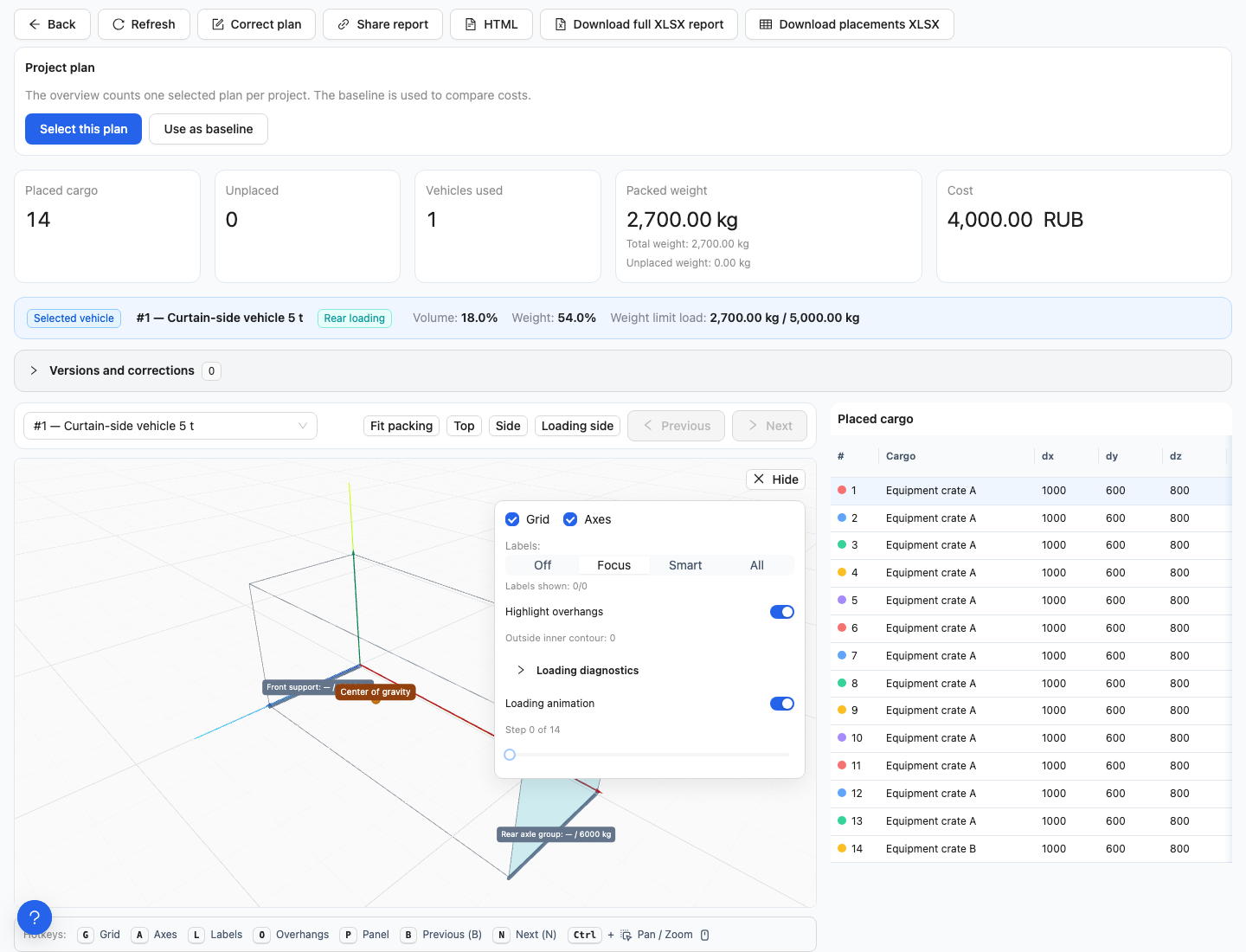
Animation step 0: no pieces are displayed yet. Disable animation or move to another step.
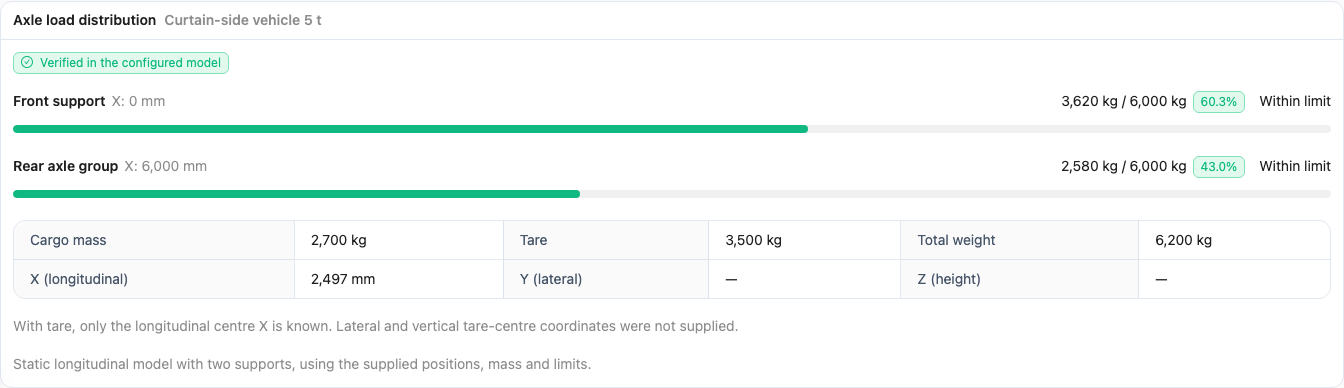
Dashes for Y and Z are not zeros: tare weight has only a longitudinal centre-of-gravity coordinate.
Why do project weight and weight in vehicles differ? Total weight includes unplaced cargo; placed weight includes only pieces in the plan. The unplaced-cargo weight explains the difference.
When the available figures are insufficient
For older reports, check whether historical data is verified. Do not assume current catalogue parameters were the original inputs without checking. See historical data.
Next: understanding unplaced cargo and scene controls.