Axles: zeros, unavailable calculations and overloads
First read the message under Axle load distribution. A number without a validation state does not confirm that axles were considered when selecting the plan.
In this article
| Message | What happened | What to do |
|---|---|---|
| Axle configuration not set | No support list exists for this vehicle | Configure axles and start another calculation with axle control |
| Axle loads not checked | There is no verified assessment for this configuration | Start another calculation with axle control |
| Invalid axle calculation data | The configuration or inputs are unsuitable | Check positions, limits, tare weight and cargo weight |
| Settings changed after calculation | Displayed data does not match the current configuration | Review changes and recalculate |
| Verified in the specified model | The distribution passed validation using the entered data | Check the inputs against the actual vehicle |
| Invalid load distribution | A limit is exceeded or the equilibrium is invalid | Correct the inputs or change the arrangement and fleet |
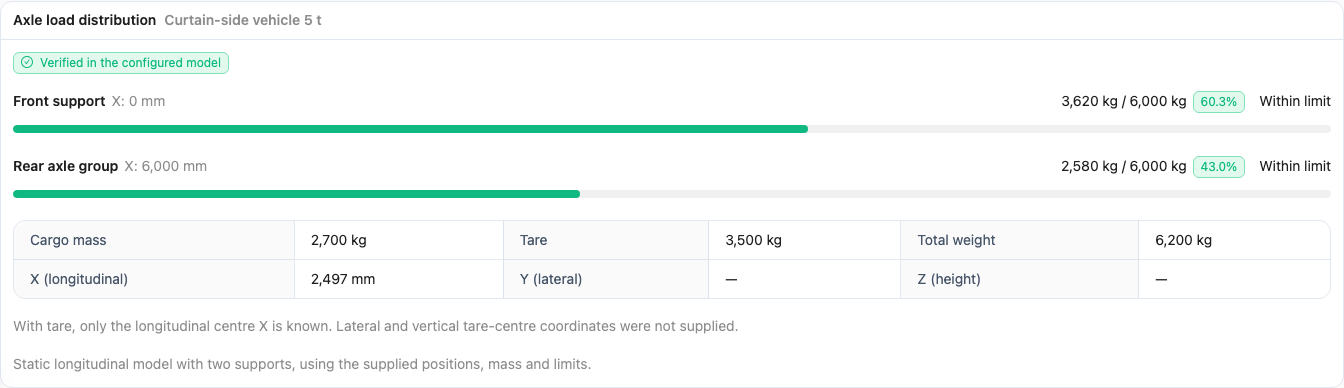
Validation example: 2700 kg of cargo plus 3500 kg tare gives 6200 kg. The axle limits shown are educational examples.
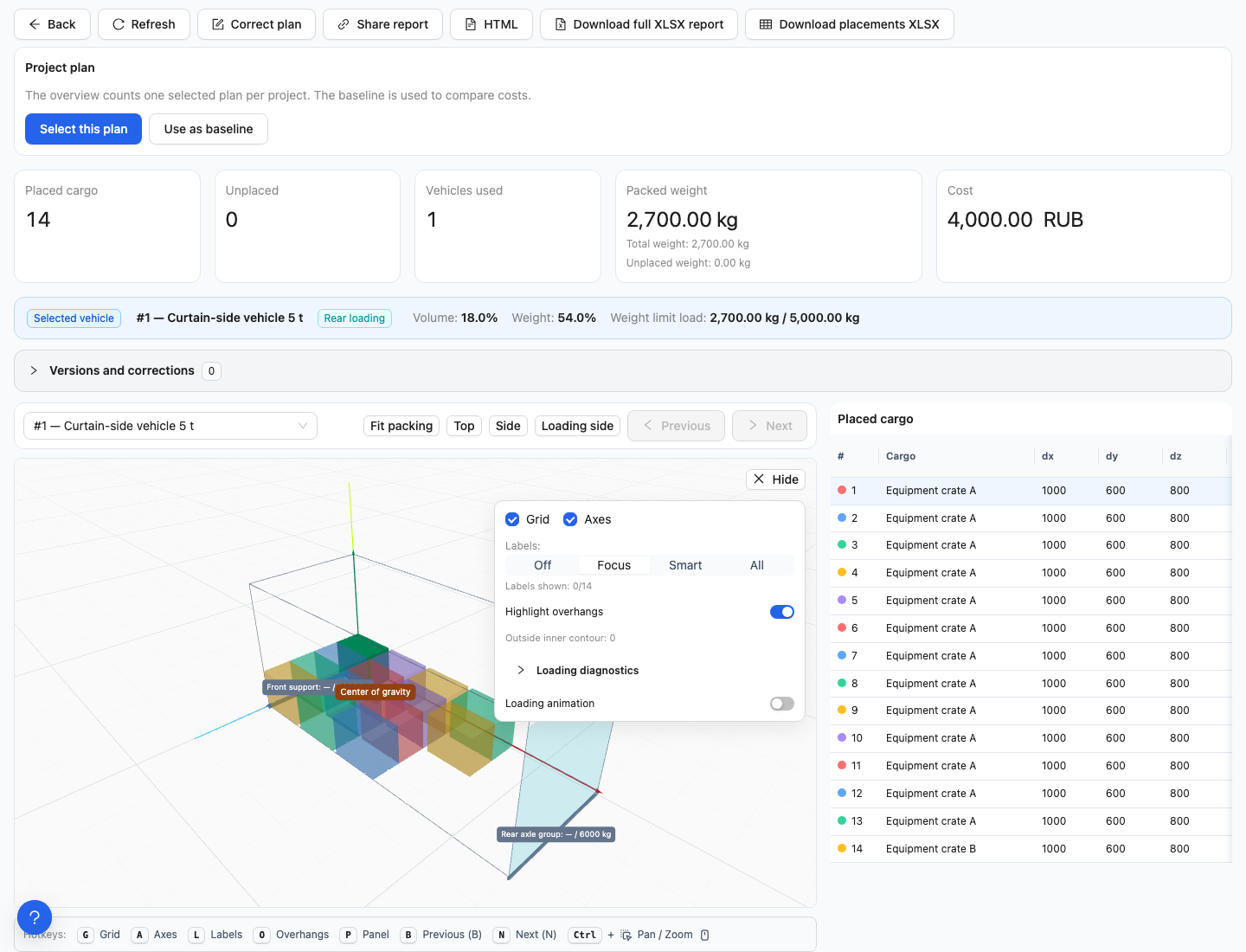
This example was calculated without axle control. Labels beside the axles do not confirm axle-load verification.
What happens if axles are not configured?
The system continues searching by dimensions, cargo weight, stacking rules, available vehicles and the selected objective. It cannot infer axle positions from vehicle names or verify axle loads without a configuration. Equal load distribution is not guaranteed. When axle control is enabled, a missing or invalid configuration prevents the plan from being considered valid.
Why an axle load or tare weight is zero
- Tare weight 0: tare weight was omitted or explicitly set to zero. The result does not include the empty vehicle's weight.
- All axle loads 0: check cargo weights, tare weight and whether this particular vehicle contains cargo. Zero weights are not inferred from volume.
- One support 0: in the approximate model, the combined centre of gravity may unload a support. Check the overall state and coordinates; this is not an instruction to raise an axle.
- A dash instead of a number: the value is unknown or not applicable. The tare centre of gravity has a longitudinal X coordinate, but its lateral position and height are not specified.
Why an axle overload occurs within the total payload limit
Total weight can satisfy the overall limit while one axle carries too much. Check heavy pieces near the body ends, tare weight and its centre of gravity. With axle control enabled, the system searches for valid placements. If none is found, a convincing 3D view alone does not mean the shipment is ready.
Configurations that cannot be checked
One support, several supports at one longitudinal position, or a configuration reduced to one group cannot be checked. Zero load limits, duplicate names and incomplete data are also invalid. The form supports up to 32 axles. If an older saved configuration is marked invalid, review its fields and save it again. Do not add fictitious axles just to clear the warning.
Understanding the model
For two supports, the result depends on their spacing and the combined centre of gravity. Within bogies, loads are distributed using the entered limits. Three or more independent groups use an approximate estimate. The model does not simulate suspension, motion or tyre pressure.
If any axle has a Group / bogie, explicit groups are used and the automatic grouping distance has no effect. Without explicit groups, nearby axles are grouped by the specified distance; if that would create a single group, they are treated separately. See the complete axle configuration instructions.
Checking an older result
Check the configuration and validation state of the result you have opened. If the report says historical data is unverified, do not automatically apply today's axle configuration and tare weight to the earlier arrangement. Review the warning and, if needed, calculate again using current inputs. See the caveats for older reports.