How to configure axles for a vehicle or semitrailer
Axle calculation estimates how the loaded weight is distributed across supports. Total payload capacity alone is insufficient: moving heavy pieces forwards or backwards changes the distribution even when shipment weight stays the same.
In this article
Open axle settings
- In the project, open Vehicles and cost and click Axles in the relevant vehicle-type row.
- Under Presets, choose a similar configuration or click Add axle. Always verify the preset positions.
- Enter each axle's parameters and the vehicle's tare weight. For actual limits, use Manual / vehicle specifications.
- Check that the status is Configuration ready and click Save.
- In a new calculation, expand Additional features and enable Axle control (beta).
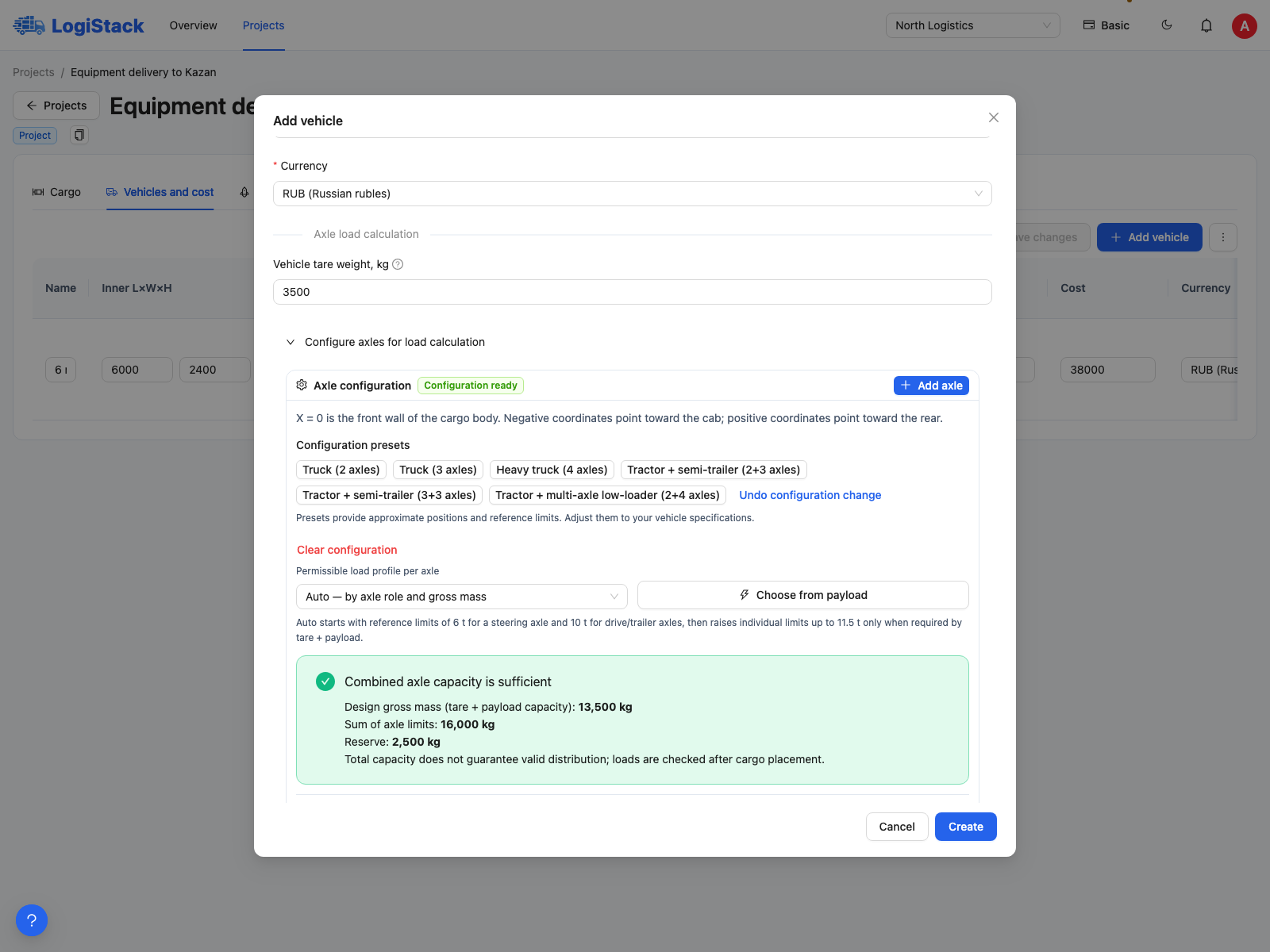
A preset is only a starting point. Replace its coordinates, tare weight and limits with your vehicle's actual data.
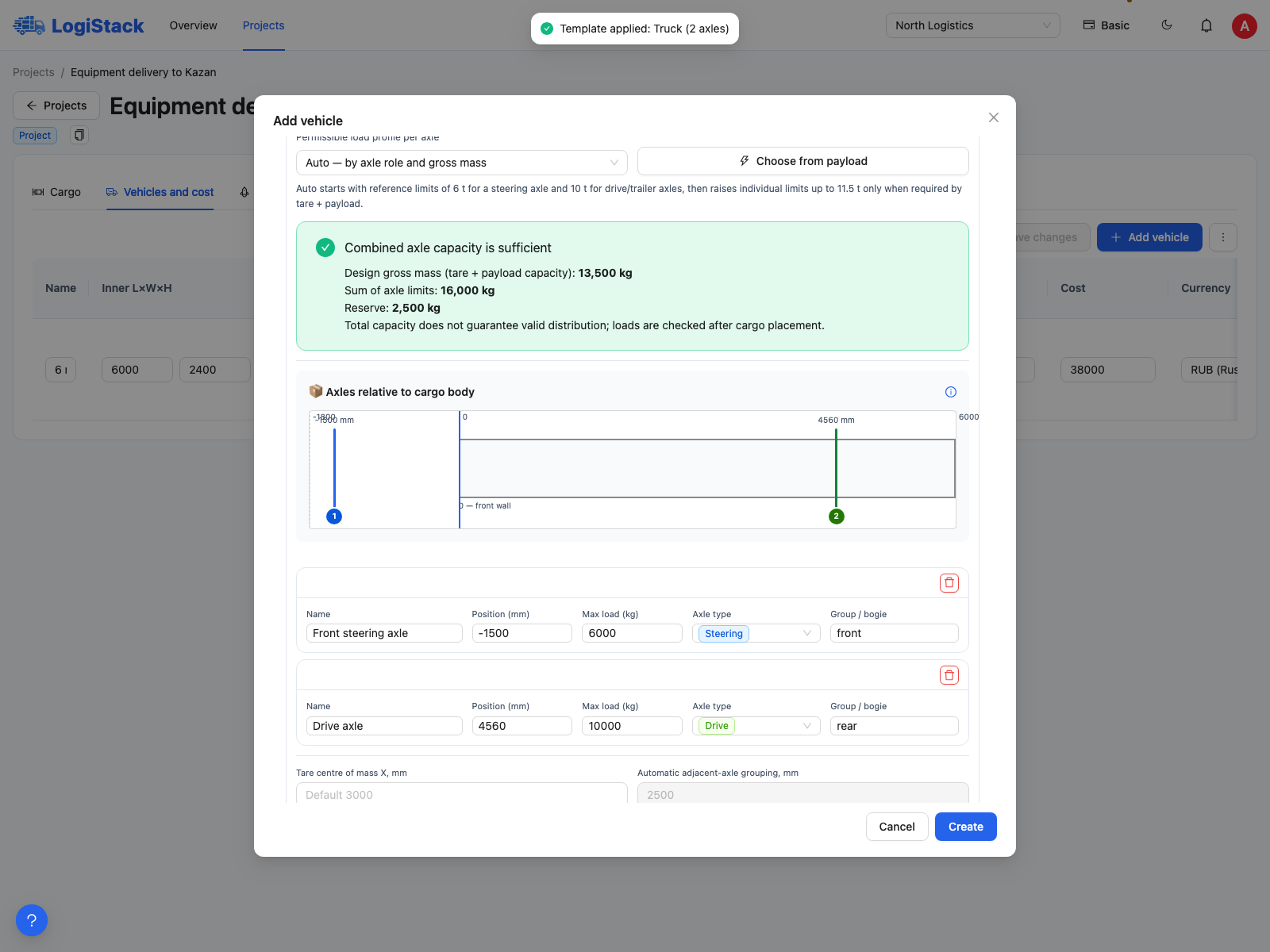
Axle coordinates are measured from the front wall of the body. Groups and the tare centre of gravity are entered separately.
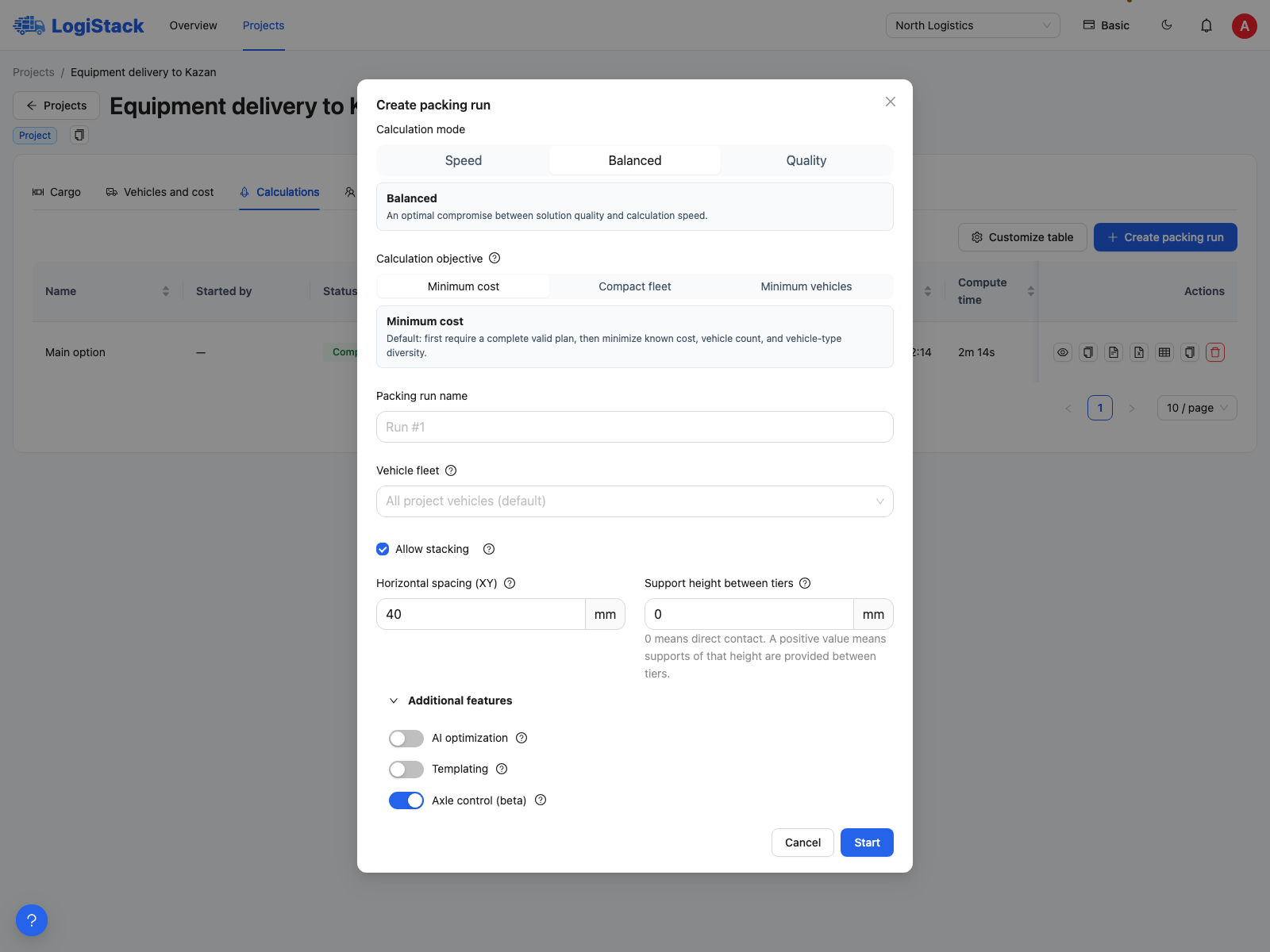
Enable Axle control (beta) before starting to check axle loads in the new plan.
Where positions are measured from
0 mm is the front wall of the cargo body, not the front of the vehicle. Positive values point towards the rear. Negative values place a support ahead of the front wall, for example towards the cab. An axle may lie outside the body length; use the correct origin.
| Field | What to enter | 0 or blank |
|---|---|---|
| Name | A clear, unique axle name | A name is required |
| Position (mm) | Coordinate relative to the front wall | 0: exactly at the front wall |
| Max. load (kg) | Permitted limit for this axle | 0 is invalid |
| Axle type | Steering, drive, trailer or equivalent support | Select a type |
| Group / bogie | Use the same name for axles in one bogie | Automatic grouping applies when groups are not specified |
| Vehicle tare weight, kg | Weight of the entire system represented by these supports | Blank or 0 adds no empty-vehicle weight |
| Tare centre of gravity X, mm | Longitudinal centre of gravity of the empty system | Blank: centre of the body; 0: front wall |
Which semitrailer configuration to use
In the Semitrailer (front support + 3 axles) configuration, the front support represents the kingpin. Its load is not the load on an individual tractor road axle. Configurations including the tractor have different supports and represent a different system weight. Do not combine whole-combination axles with semitrailer-only tare weight.
Reference profiles and automatic selection help populate the form; they do not establish the permitted limits for your trip. The sum of axle limits must cover tare weight plus the entered payload capacity, but a sufficient sum does not guarantee correct distribution.
At least two longitudinally separated support groups are required. Correct configurations in which all axles are manually assigned to one group or positioned at one point. See zeros, missing calculations and axle warnings.