What to do with unplaced cargo
Unplaced cargo is outside the transport plan. It remains in the project and is not considered transported. For a partial result, start with Unplaced cargo: it lists names, dimensions, weights, quantities and reasons where available.
In this article
Finding the reason
| Message | What to check |
|---|---|
| Not enough vehicle space | Vehicle quantities, available fleet, clearances and stacking permissions |
| Cargo dimensions exceed vehicle dimensions | Millimetres, permitted rotations, internal body dimensions and allowed overhangs |
| Cargo does not fit through the door | Opening width and height, loading direction and rotated cargo dimensions |
| Payload capacity exceeded | Weight per piece, quantity and the selected vehicle's payload capacity |
| Placement rules cannot be satisfied | Stacking, orientation, fragility, support and top-load restrictions |
| Incompatible tags | Whether these items are prohibited from travelling together |
The reason suggests an initial check, but several constraints can apply to one piece. Do not reduce dimensions or weight to bypass rejection. Correct an input error or change actual conditions: another vehicle, more available vehicles or a permitted rotation.
Three ways to continue
- Fit the remainder into the existing plan. Open Correct plan, select a vehicle and Place unplaced cargo. Select the required instances, calculate and review the alternative.
- Repeat the full task. Change source vehicles or project constraints, save changes and start another calculation.
- Transport the remainder separately. Use Create project from unplaced cargo beside the unplaced count.
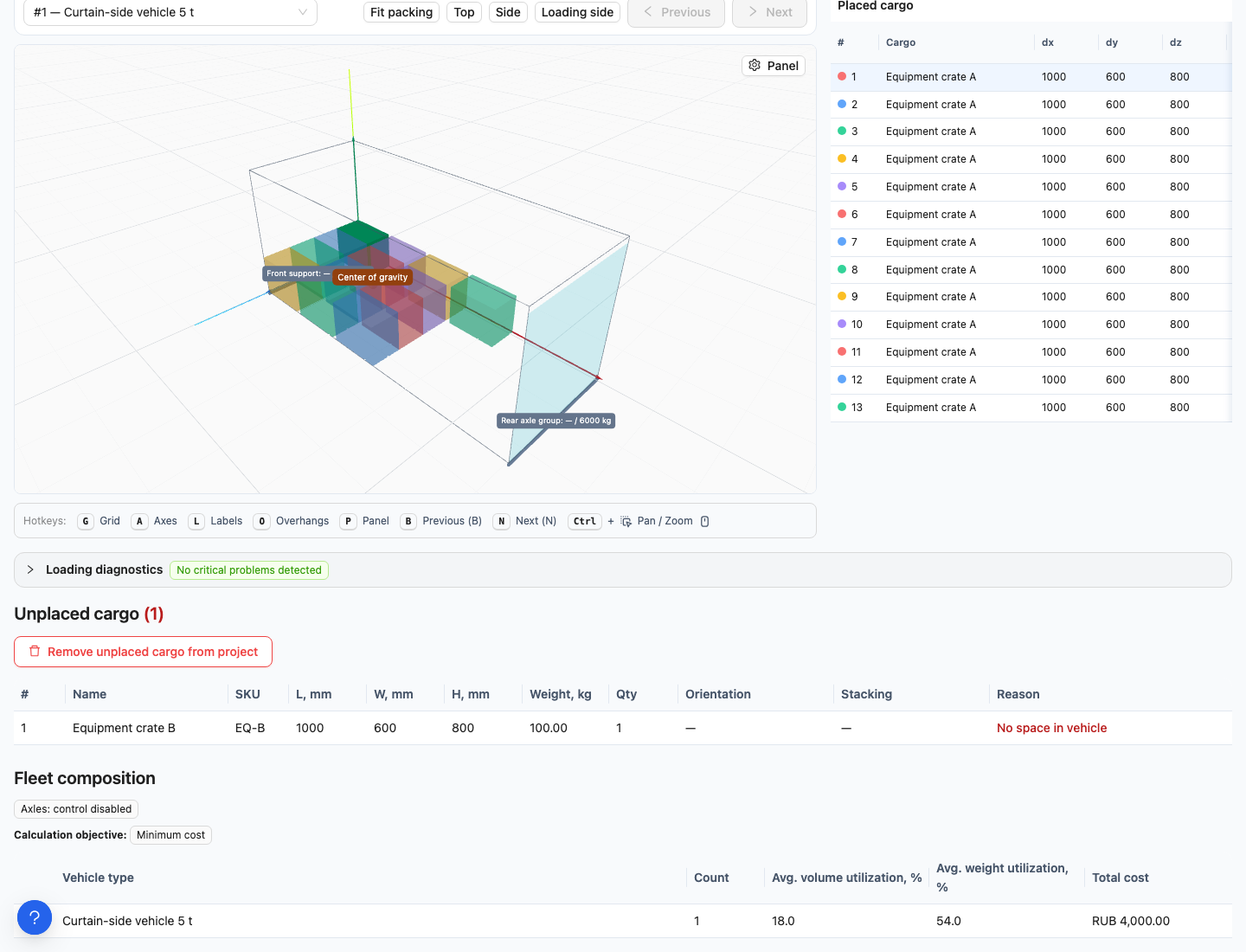
Unplaced cargo appears separately from placed pieces. In this example, a correction manually returned one crate to the remainder.
Creating a separate project for the remainder
Vehicles are not copied: add suitable vehicles and prices yourself. This creates a new project and counts towards its limit. The original project, cargo and history remain unchanged.
Frequently asked questions
What if the remaining cargo will not be shipped? To exclude it from this shipment, use the separate, confirmed removal of unplaced cargo from the project. Creating another project does not remove it automatically.
If a piece was manually returned to unplaced cargo: read the change description in correction history. A generic “Not enough vehicle space” label does not by itself mean the piece previously failed to fit: your command may have removed it from the plan.