Cargo dimensions, packaging, weight and quantity
Dimensions and weight describe one cargo piece in the condition in which it will be transported. For a loaded pallet, include the entire pallet and its goods; for a crate, include the closed crate. Do not add the contents separately when they travel as one indivisible piece.
In this article
Where to enter the parameters
- Open the project → Cargo → Add cargo.
- Enter Name, length, width, height, Weight, kg and Quantity.
- Optionally enter a SKU — an item code for searching and checking. It does not replace dimensions.
- Click Create. To edit an existing item, change values directly in its table row and click Save changes.
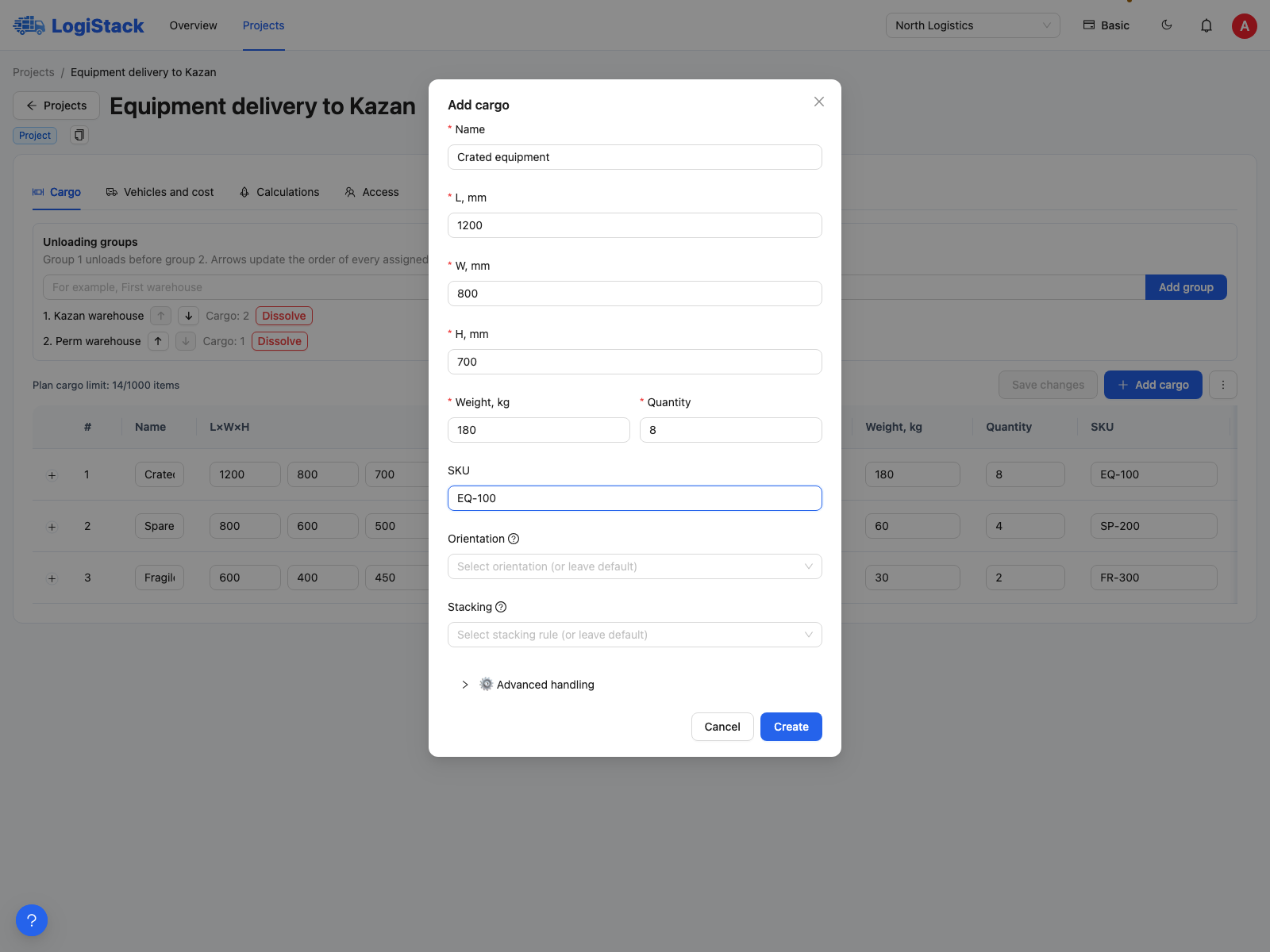
Enter length, width and height in millimetres and weight per piece in kilograms.
| Field | What to enter | What 0 means |
|---|---|---|
| Length, width, height; L×W×H in the table | Three dimensions of one piece, mm | The dimension is invalid; calculation requires a positive value |
| Weight, kg | Weight of one piece, including packaging | The piece is treated as weightless; weight is not inferred from its name or volume |
| Quantity | Number of identical pieces, an integer of at least 1 | This is not a way to exclude an item from a shipment |
| SKU | Optional identifier | A number or text serves only as an identifier |
Accounting for packaging
The current form has no separate packaging-thickness setting. Include the box, crate, pallet and protrusions in the piece's dimensions. If the goods are 1000 mm high and the pallet adds 150 mm, enter 1150 mm. If the assembled piece was measured with its pallet, do not add the pallet height again.
Set the clearance between neighbouring pieces separately for each calculation. Do not enlarge every piece by that clearance beforehand, as it could be counted twice. Supports between tiers also have a separate setting.
Example
To ship 12 identical crates measuring 1200 × 800 × 900 mm and weighing 95 kg each, create one row with quantity 12 and weight 95. If two more crates are 1100 mm high, create another row for them. Total volume and weight use the entered pieces.
Why dimensions change places in the view
When rotations are allowed, the system may swap length and width or place a piece on another face. This does not change the original dimensions. If a piece must remain upright or maintain its direction, set Orientation.
Check: if the vehicle count is unexpectedly high, first check millimetres versus centimetres, individual versus batch weight, and quantities after importing.